Usage
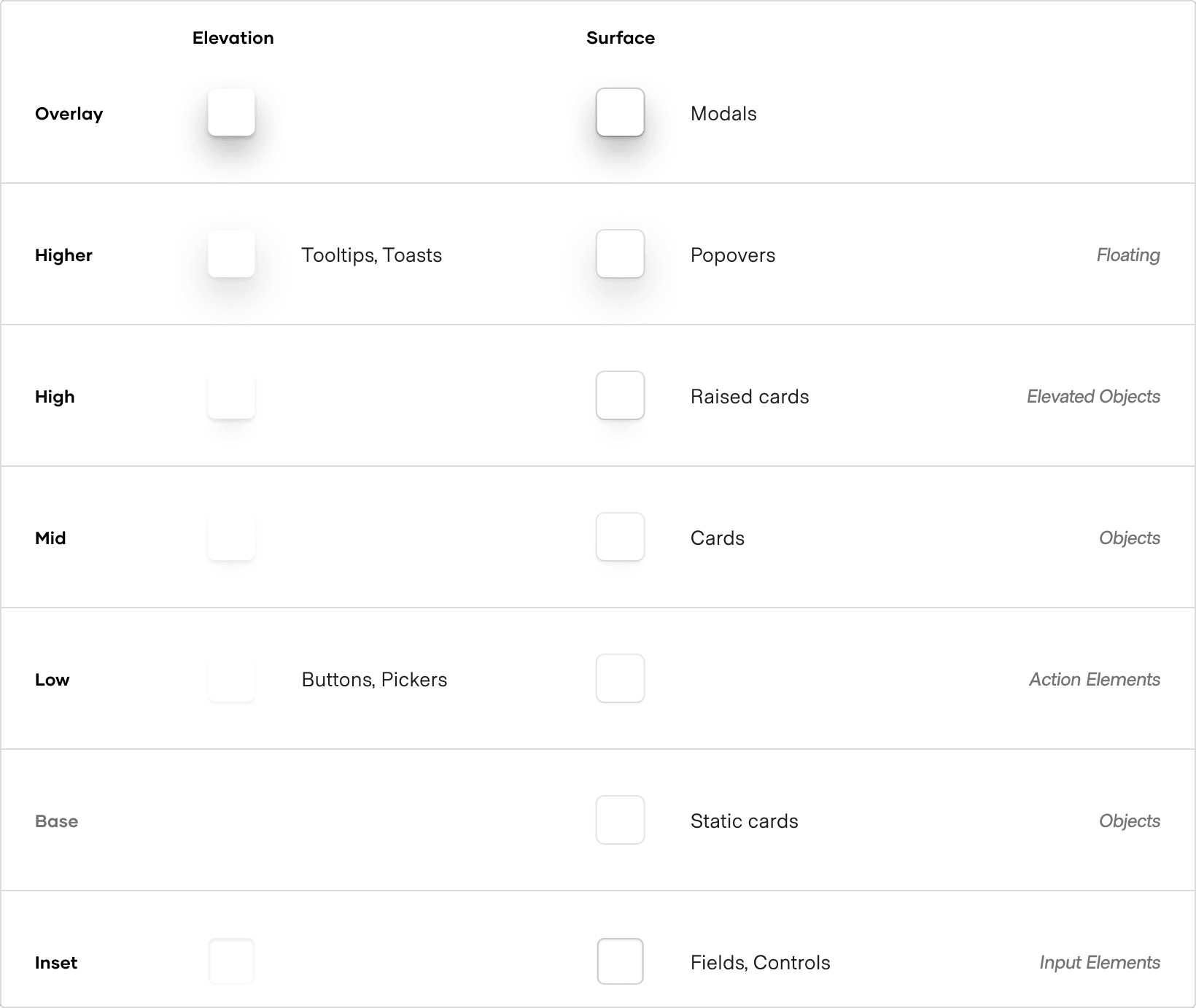
Use elevation:
- to surface interactivity
- to elevate and group key content on the page
- to convey natural page hierarchy and modality
Levels of elevation
How to use these styles
You can apply an elevation or surface effect to an element via design tokens or CSS helper classes.
Design tokens
Use the elevation and surface design tokens directly in your CSS definitions. Note that they can only be used with the box-shadow property.
.your-selector {
  box-shadow: var(--hds-elevation-high-box-shadow);
}
Available CSS variables
Elevation variables
Surface variables
CSS helper classes
- Ensure you’ve imported the relevant CSS file.
// for product applications
@import "~@hashicorp/design-system-tokens/dist/products/css/helpers/elevation.css";

// for hashicorp developer platform
@import "~@hashicorp/design-system-tokens/dist/devdot/css/helpers/elevation.css";- Use a predefined CSS helper class.
<div class="hds-elevation-high">...</div>Available CSS helper classes
Elevation helpers
Surface helpers
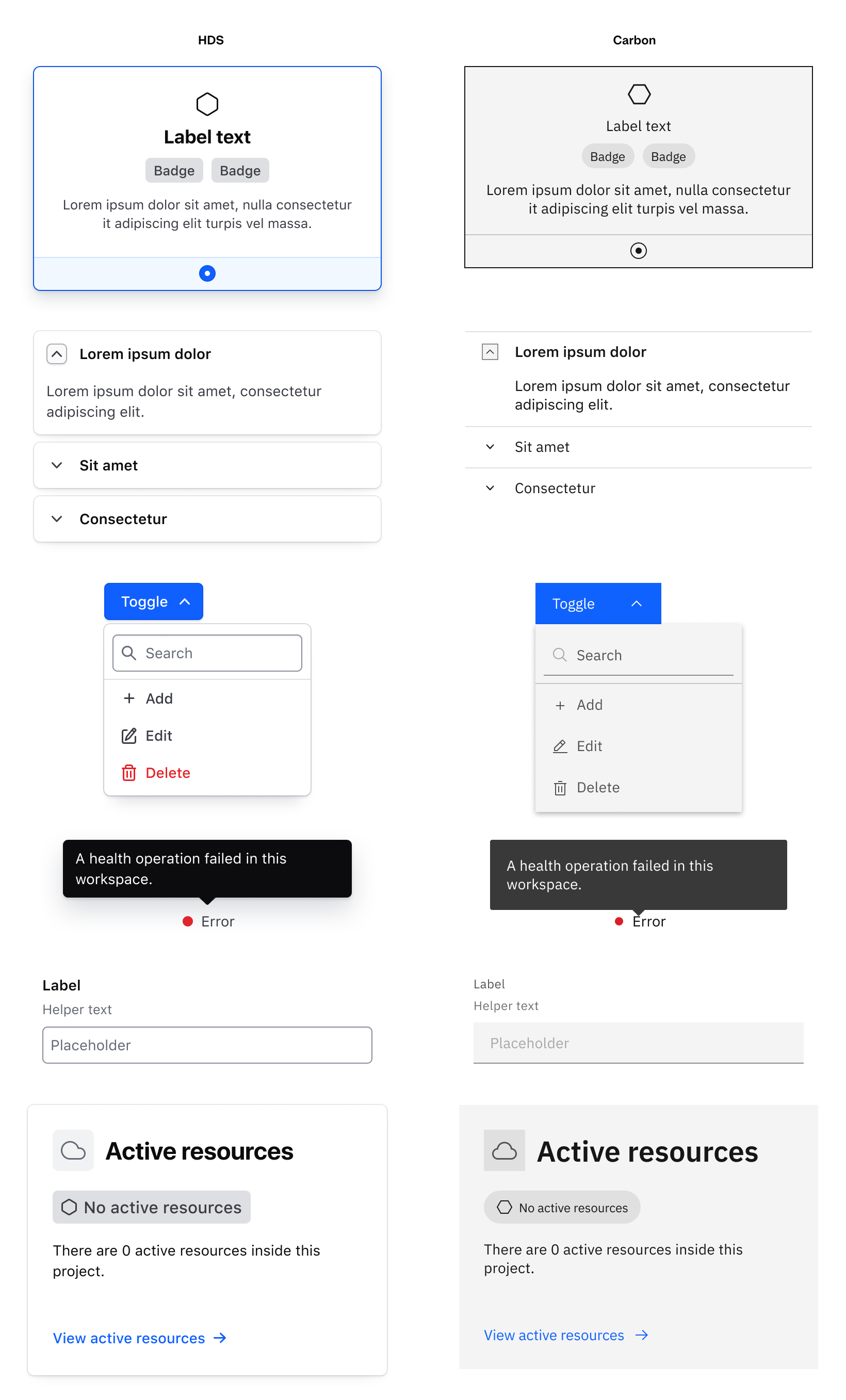
Elevation in Carbon
In Carbon there are not many elements that have a visual elevation treatment applied to them. For this reason, all the elevation styles in HDS have been removed when the Carbon HDS themes/modes are applied to the UI.